The week my last staff member left, I still had product photos to edit, three captions to write, a video to film, and orders to pack — and suddenly nobody to hand any of it to. If you run a small business with no marketing team, or a team of one or two who are already stretched thin, you know that feeling. The work doesn’t shrink just because the people do.
That season is exactly why I started building what I now call my AI employees. In this post I want to explain, in plain language, what an AI employee really is, what kind of work it can take off your plate, and how a non-technical owner can start — because I’m not a developer and I never learned to code. This is written for small and medium business owners who want to grow but can’t afford (or don’t want) a big marketing department yet. It applies whether you run a service business — a clinic, a coaching practice, a consultancy, an agency — or a physical-product business like a shop, a handmade brand, or an online store.
What an AI employee actually is, in plain words
Forget the technical jargon for a moment. An AI employee is simply an AI tool that you give a job to — and that then does that job for you, start to finish, the way a staff member would. The difference between “using AI” and having an AI employee is the difference between asking a chatbot a one-off question and actually handing over a recurring task: “write this week’s three posts,” “turn this product into a short video,” “schedule everything for next week.”
You stay the boss. You decide the strategy, the brand voice, what’s on-brand and what isn’t. The AI employee does the hands-on doing. Think of it as hiring a capable junior who works through the night, never calls in sick, and happily redoes the draft when you say “make it warmer” — except you brief it in normal English, not code.
Why this matters when you don’t have a marketing team
Most small business owners I meet aren’t short on ideas. They’re short on hands. You know you should be posting consistently, making videos, answering leads, refreshing your website — but there are only so many hours, and marketing is usually the first thing that slips when the shop gets busy.
That’s the real gap an AI employee fills. It doesn’t replace your judgement or your relationships with customers. It replaces the bottleneck — the production work that piles up and never gets done. For a service business that might mean finally keeping up with weekly content so clients remember you exist. For a product business it might mean having fresh selling videos and images without booking a photographer every month. Same engine, different jobs.
It also changes who can compete. For years, consistent, good-looking marketing belonged to the businesses that could afford a team or an agency. A one-person shop simply couldn’t produce at that pace. When the production work is handled by AI employees, a small owner can show up online as often and as polished as a much larger competitor — and that levelling is new.
The jobs an AI employee can actually do
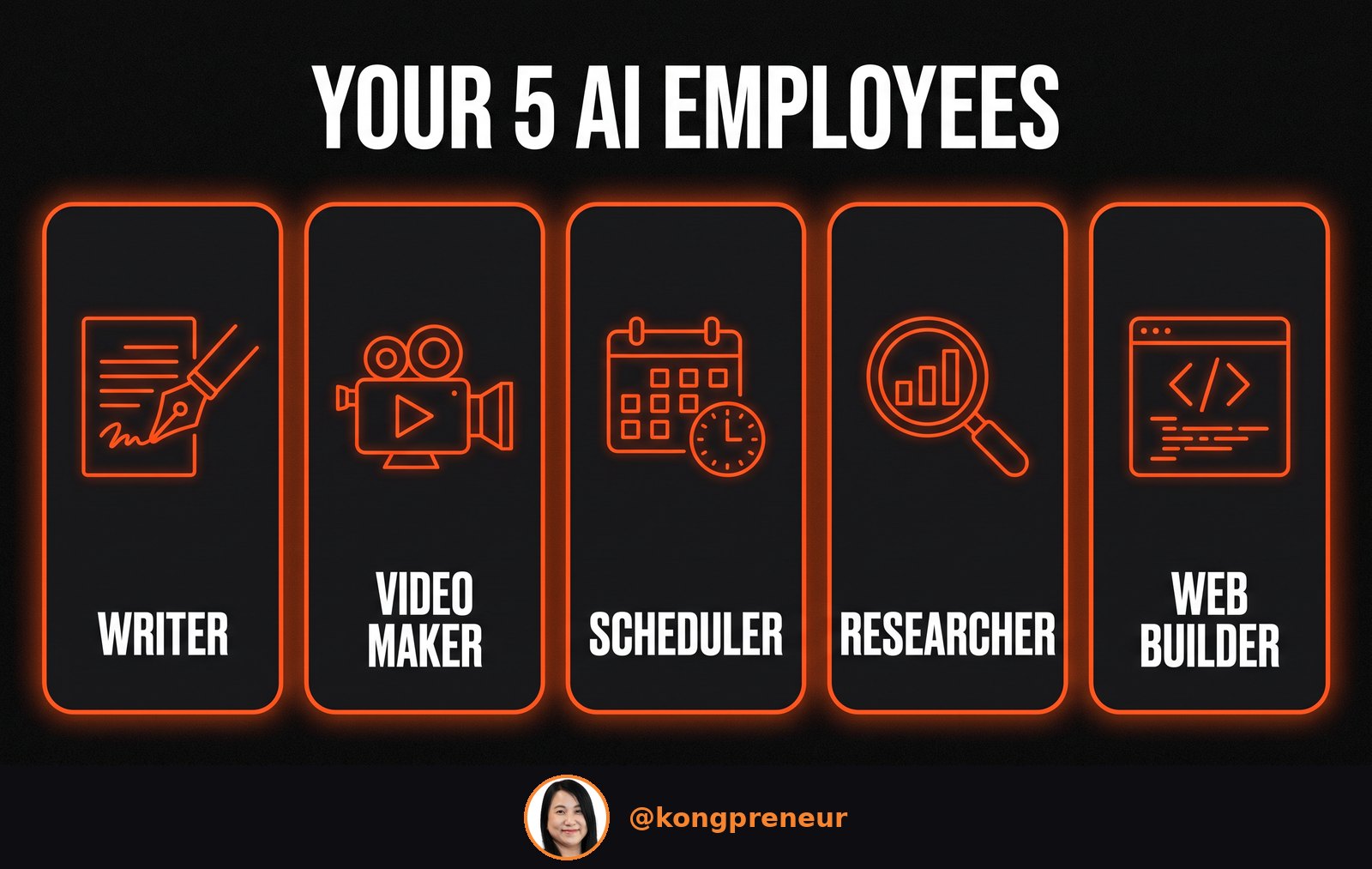
Here’s the part people are surprised by: it isn’t one magic tool, it’s a small team of them, each good at a different job. These are the real tools I use day to day, so I’m naming them rather than being vague:
- The content writer — I use Claude (through Claude Chat and Cowork) to draft social captions, email newsletters, product descriptions and blog posts in my own voice. I give it my rough notes; it gives me a clean first draft I can edit.
- The video maker — for talking-to-camera style clips I use HeyGen to create a spokesperson video, and for product videos I use kie.ai. That means I can publish video content without filming every single one myself.
- The social scheduler — once the posts exist, I load them into FeedHive so a whole week (or month) goes out automatically at the right times. No more scrambling at 11pm to post something.
- The researcher — before I write, Claude helps me gather what my audience is asking about and what competitors are saying, so the content is actually relevant instead of guesswork.
- The web builder — this one still amazes me. Using Claude Code, I was able to build an entire website without writing code myself, just by describing what I wanted.
📌 Found this useful? Save this infographic or share it with a business owner you know: WhatsApp · Facebook · LinkedIn
To make it concrete, here’s what a normal week can look like once these are in place: on Monday I spend about an hour briefing the content writer and reviewing the drafts; the video maker turns two of those into short clips; the scheduler lines everything up; and by Tuesday the whole week of marketing is done and queued, while I get back to serving customers. The work that used to eat my evenings now fits into a single focused session.
Notice that none of these ask you to become technical. Your job is to brief clearly and approve the output — the same thing you’d do with a human junior. If you want a fuller walkthrough of putting these to work on your marketing specifically, I wrote a companion piece on how to use AI for marketing as a one-person company.
What this looked like for my own business
I’ll be honest about where I’m coming from, because context matters. I’ve run my own e-commerce stores for over a decade and I train sellers for a living — you can see more of that side of my work on kongpreneur.com. What I am not is a programmer. So when I say a non-technical owner can do this, I mean it from experience, not theory.
When my staff left, I rebuilt the marketing work with these AI employees instead of rushing to re-hire. The result I’m proudest of: a batch of AI-made product videos helped sell around 300 units for my own small business. I share that as what happened for me, not as a promise — individual results vary, and this is not a guarantee.
The other number that changed how I think: running my whole AI setup costs roughly 22% of what one full-time content creator costs in Malaysia. It is not free — there are subscriptions and credits to pay for — but it’s a fraction of a single staff salary, doing the production work of a small team. For an owner watching every ringgit, that ratio is the whole point.
How to start, without touching code
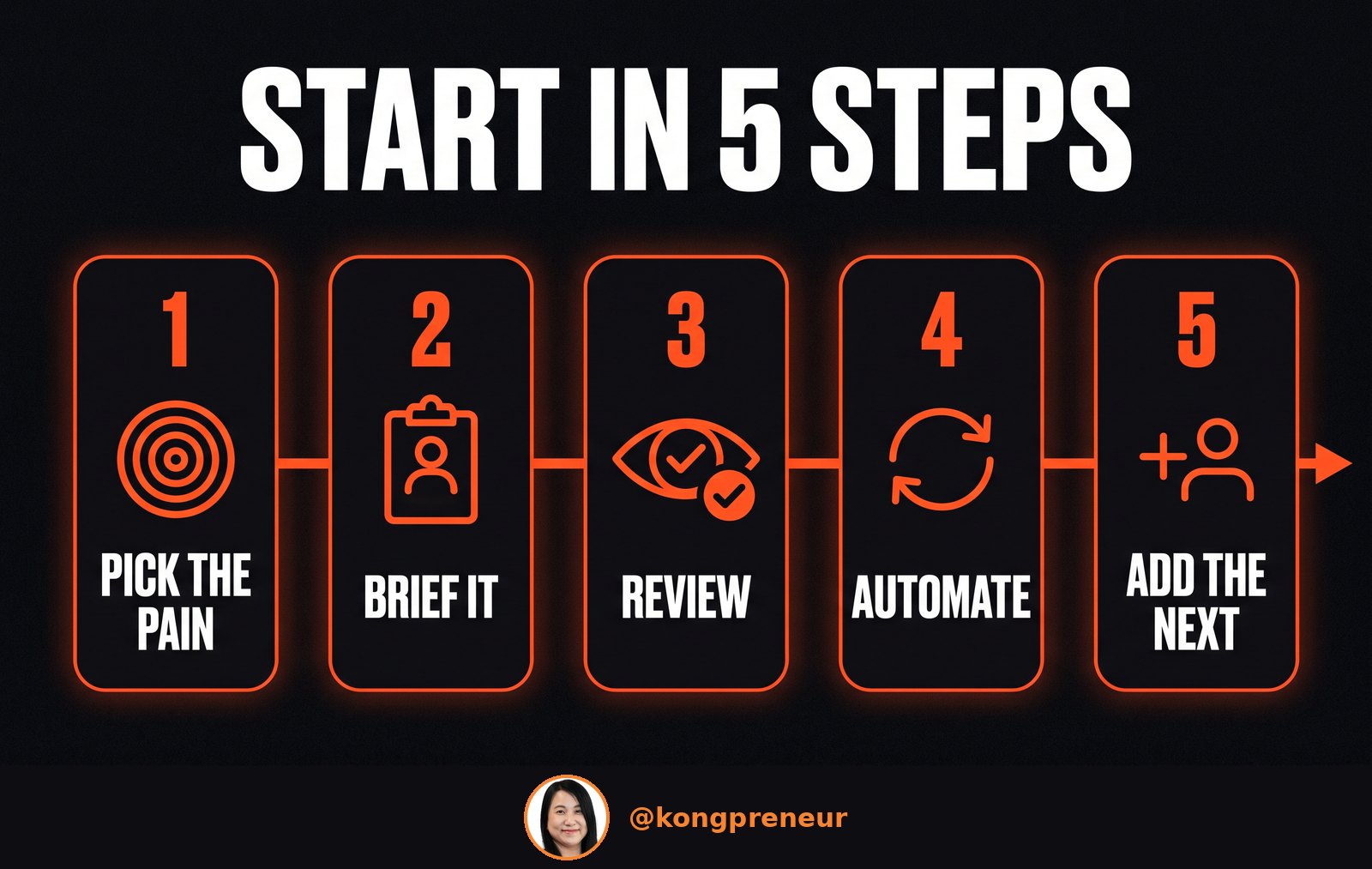
You don’t need to build everything at once. The owners who do well start with one painful job and let the AI employee prove itself before adding the next. Here’s the order I’d suggest:
- Pick your most painful task. Usually it’s “I never post consistently.” Start there.
- Brief it like a new hire. Tell the tool who your customers are, your tone, and show it two or three examples of your own past posts so it copies your voice.
- Review before anything goes public. Treat the first drafts as drafts. Correct them in plain English — it learns your preferences fast.
- Automate the repeat. Once the output is good, schedule it so it keeps happening without you.
- Add the next employee. Content first, then video, then scheduling, then the bigger projects like a website.
📌 Found this useful? Save this infographic or share it with a business owner you know: WhatsApp · Facebook · LinkedIn
What should you expect? Not a magic money machine. AI handles the production brilliantly, but growth still depends on the things it always did — how much you invest in marketing, how consistent you are, and how clearly your product stands apart from everyone else. An AI employee lets you show up far more often for far less cost. What you do with that visibility is still up to you and your offer.
Frequently asked questions
What is an AI employee?
It’s an AI tool you hand a recurring job to — writing, designing, making videos, scheduling — that does the task for you while you stay in charge of the strategy and approvals. You brief it in normal language, not code.
Do I need to know how to code to use one?
No. I don’t code, and I built my whole setup by describing what I wanted in plain English. If you can brief a new staff member, you can brief an AI employee.
What jobs can an AI employee do for a small business?
The common ones are writing content, making images and videos, researching your market, scheduling posts, and even building a website. You can start with one and add more over time.
Is this only for online or tech businesses?
No. It works for service businesses (clinics, coaches, agencies) and physical-product businesses (shops, handmade brands, online stores) alike. The jobs are the same — only the content changes.
How much does it cost to run AI employees?
There’s no single price — it depends on which tools you use and how much. For me it works out to a fraction of one full-time salary. If you’d like help setting it up for your business, see the training linked below.
Ready to build your own AI employees?
If reading this made you think “I could really use a few of these,” that’s exactly who I built my training for. In the AI employee training I walk you through setting up your own AI employees step by step — no coding, at your own pace — so your marketing keeps running even when you’re busy with everything else.